Meshcore oder Meshtastic?

Seit ein paar Tagen fahre ich zweigleisig.

Ich habe nun sowohl einige Meshtastic– als auch einige Meshcore-Geräte am Start. Noch bin ich mir nicht sicher, wer das Rennen machen wird.

Allerdings ist mein Hauptgerät, der SenseCAP T1000-E, nun erst einmal auf Meshcore geflashed. Mein derzeitiger Eindruck ist, dass Meshcore für eine Notfallkommunikation stabiler läuft.

Allerdings bekommt auch Meshcore so langsam Probleme mit der Netzauslastung. Daran wird zwar gerade gearbeitet (durch das Einführen von “Regions” auf den Repeatern und dem zukünftigen “Zwang” bei Nachrichten einen Scope mitzugeben (also z.B. “#rhein-main”), damit die Nachrichten nicht grundsätzlich durch ganz Deutschland bzw. in angrenzende Länder verteilt werden. Aus meiner Sicht ist das auch nicht nötig, es würde mir reichen eine stabile Kommunikation im Radius von z.B. 50 km zu haben.

Man muss abwarten, ob man damit die Probleme in den Griff bekommt … Es bleibt spannend!

Weiterführende Links:

Mesh Hessen
LocalMesh (Meshcore)
reewale.net (Meshcore)

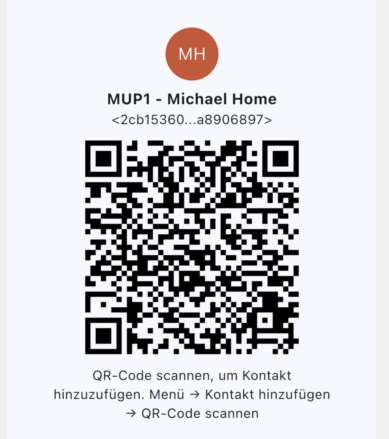
Mein Kontakt-QR-Code für Meshcore:

Mein Kontakt-QR-Code für Meshcore

Meshtastic im Einsatz rund um Maintal – mein wachsendes Mesh-Netzwerk


In den vergangenen Wochen habe ich mich intensiv mit dem Thema Meshtastic beschäftigt – einem offenen Funksystem, das auf kostengünstiger Hardware basiert und es ermöglicht, auch ohne Mobilfunk oder Internet-Verbindung Nachrichten über ein selbstorganisierendes Mesh-Netzwerk auszutauschen.

Mittlerweile betreibe ich selbst mehrere Meshtastic-Knoten und konnte dabei eine Menge über Reichweite, Konfiguration und die richtige Platzierung der Geräte lernen.

Für meinen persönlichen Einsatz verwende ich unterschiedliche Gerätetypen:

  • Einen SenseCAP Card Tracker T1000-E – begleitet mich unterwegs und hat für seine Größe und dafür, dass er keine externe Antenne besitzt, eine erstaunliche Empfangs- und Sendeleistung.

  • Einen D5 Solar Node mit RAK4631 – hängt in meinem Garten und wird solar betrieben.

  • Ein weiterer D5 Solar Node mit RAK4631 hängt auf einer Anhöhe oberhalb von Maintal – dieser ist notwendig, weil ich aus meinem Garten heraus kaum andere Mesh-Knoten erreichen konnte. Der erhöhte Standort hat die Verbindung im gesamten Gebiet deutlich verbessert und mir letztendlich auch den Zugang zu Mesh Hessen verschafft.

  • Zusätzlich laufen bei mir zuhause noch zwei Heltec V3-Test-Knoten, mit denen ich neue Einstellungen und Firmwareversionen ausprobiere.

Inzwischen entsteht in meinem Umfeld langsam ein kleines, aber stetig wachsendes Meshtastic-Netzwerk. Mit jedem weiteren Knoten verbessern sich Abdeckung und Reichweite, und damit steigt auch der Nutzen für alle Teilnehmer.

Da die Konfiguration der Geräte einige Stolperfallen birgt – falsche Einstellungen können im schlimmsten Fall auch die Kommunikation anderer Knoten beeinträchtigen – habe ich eine ausführliche Anleitung zur Konfiguration von Meshtastic-Knoten erstellt.

Die Dokumentation ist unter diesem Link verfügbar (und wird immer wieder mal angepasst):

Konfiguration von Meshtastic-Knoten

Vielleicht hilft sie ja auch anderen, ihre eigenen Mesh-Knoten optimal einzurichten und ein stabiles, gut funktionierendes Netz aufzubauen.

Gerne stehe ich auch bei Fragen zu dem Thema zur Verfügung.. Ich bin auch in zwei Telegram-Kanälen aktiv:

https://t.me/Mesh_Hessen

https://t.me/meshtasticgermany

Und, wie oben schon angeführt, denkt bitte daran: Die Inbetriebnahme eines neuen Knotens, kann zu Störungen von anderen führen. Daher achtet unbedingt darauf, die Einstellungen entsprechend anzupassen. Das Mesh wird es Euch danken 🙂


“Finanzen ganz einfach” – Neues Buch von Saidi Sulilatu

Ich hatte neulich ja hier schon ein paar nützliche Links zum Thema finanzielle Bildung, Vermögensaufbau und Altersvorsorge gepostet.

Jetzt hat Finanztip-Chefredakteur Saidi Sulilatu ein neues Buch mit dem Titel “Finanzen ganz einfach” veröffentlich, das ab dem 3.11.2025 erhältlich ist und bereits jetzt vorbestellt werden kann.

Auch ohne es bisher gelesen zu haben, bin ich sicher, dass das Buch sehr lesenswert sein wird. Ich verfolge den Finanztip-Podcast und auch den Youtube-Kanal schon länger und kann “Finanztip” insgesamt uneingeschränkt empfehlen.

Finanztip ist eine gemeinnützige Stiftung, die es sich zum Ziel gesetzt hat, die finanzielle Bildung in Deutschland zu verbessern. Und ja,da haben wir noch einiges aufzuholen – gerade, weil wir uns auf die gesetzliche Rente im Alter nicht mehr verlassen können.

Wer also sich beim Thema Vermögensaufbau und Altersvorsorge weiterbilden möchte, der sollte dieses Buch in Erwägung ziehen.

Logcheck: Custom Rules Are Not Working

I am using the tool “logcheck” on my Debian servers and created some custom ignore rules to filter out some log entries which I do not want to see in the logcheck reports. However the rules did not work.

Although I double checked the regex syntax several time and also checked it with “grep -E” the rules did not work and the log entries were not filtered out.

After long time debugging I found the reason:

The end-of-line character in my file used the DOS convention (CR/LF) and not the Unix convention (LF) …

After converting my rules file with the command “dos2unix <filename>” everything worked without a problem.

Null-modem emulator(com0com) with Windows 11

I tried to install the Tool “com0com” to get virtual COM ports in Windows 11. However, even I tried the version 3.0 with digitally signed drivers, Windows 11 told be that there are issues with the digital signature (Error Code 52) and the created virtual COM ports did not work.

To solve the problem I downloaded an older version from here and followed the instructions on that web site.

  • Extract the ZIP file
  • Open an administrative command window and change to the extracted directory
  • Run “setupc”
  • Now create the desired COM port pairs with the command
    “install PortName=COM14 Portname=COM15”
    to create a COM port pair named COM14/COM15
  • The COM ports will not appear under the normal COM port section in device manager but under he section “com0com – serial port emulators”

So even with these old drivers you will be able to use virtual COM ports with Windows 11.

iOS Upgrade to Version 26: “Unknown Error (1109). 06B4.0000”

Today I tried to upgrade my iPad to the newest version 26 of iOS. I tried that with the app “Apple Devices” from the Windows App store.

However, in the middle of the update, the app displayed the message “Unknown Error (1109). 06B4.0000” and the iPad was no longer usable.

I set my iPad into DFU mode, and tried it again without any success. According to different forum entries, the error seems to be a network or DNS error. So I tried these different things:

  • Tried a different USB-C cable
  • Disabled by DNS blocking tool in my network and forced the Google DNS servers
  • Used a VPN to make sure that there is no other blocking in my local network

However, the error did not disappear. I did not try to do a complete new installation with restoring the data from a backup. In this case I would have los many things like my Signal chat history, some Banking app data etc.

Instead I tried a tool called “3u Tools“. This tool has many different functions and one of it is updating / installing a new iOS version.

With this tool I was able to the upgrade my iPAD to iOS 26 without a problem. There was a slight delay during the upgrade at about 50% while displaying “Requesting EAN data” and I thought the upgrade failed again. However I just waited a few more minutes and the update continued afterwards.

Debian Linux: Force Reboot

On a Debian Linux machine I had the problem, that a reboot was no longer possible. Some time after issuing the “reboot” command, I got the message:

Failed to set wall message, ignoring: Transport endpoint is not connected
Call to Reboot failed: Transport endpoint is not connected

In this case I was able to force a reboot of the machine by issuing the following command:

echo b | sudo tee /proc/sysrq-trigger

Just as a reminder, if I need that again in future 😉

Random Wire Antenna Length

There are several sources on the Internet which length you can use for a random wire antenna (where the “random” is not really “random” 🙂 together with an 9:1 UnUn.

However most of these sources are using the US length in “foot”. Here is a table with the optimal values in “meters” (for me and for the rest of the world :-)):

FootMeter
298,8392
35,510,8204
4112,4968
5817,6784
7121,6408
8425,6032
10732,6136
11936,2712
14845,1104
20361,8744
347105,7656
407124,0536
423128,9304

Google Photos: Batch Delete Albums

As I moved all my photos away from Google Photos to my self-hosted Immich instance, I needed a possibility to delete all photos and albums from Google Photos.

To delete all photos, there is an API call available so you could write a script to do that. Or you can just use this Chrome plugin (works also in MS Edge).

However, there seems to be no possibility to batch delete all the remaining empty albums from Googel Photos. There is just no API call and therefore no possibility to script that.

As I did not want to manually delete, click by click, all my over 200 albums, I created a small, quick & dirty script for Autohotkey:

(more…)